SeriousIT
Grocery

Every lane open,
every hour you are.

Managed IT for Utah grocers, built around a store that opens early, closes late, and cannot lose a lane. Your POS vendor runs the registers. We run the engine behind them: the servers, the network, the Wi-Fi, the handhelds and scales, the cameras, the internet, and the phones, with updates in the hours nobody is ringing and a person who answers at six.

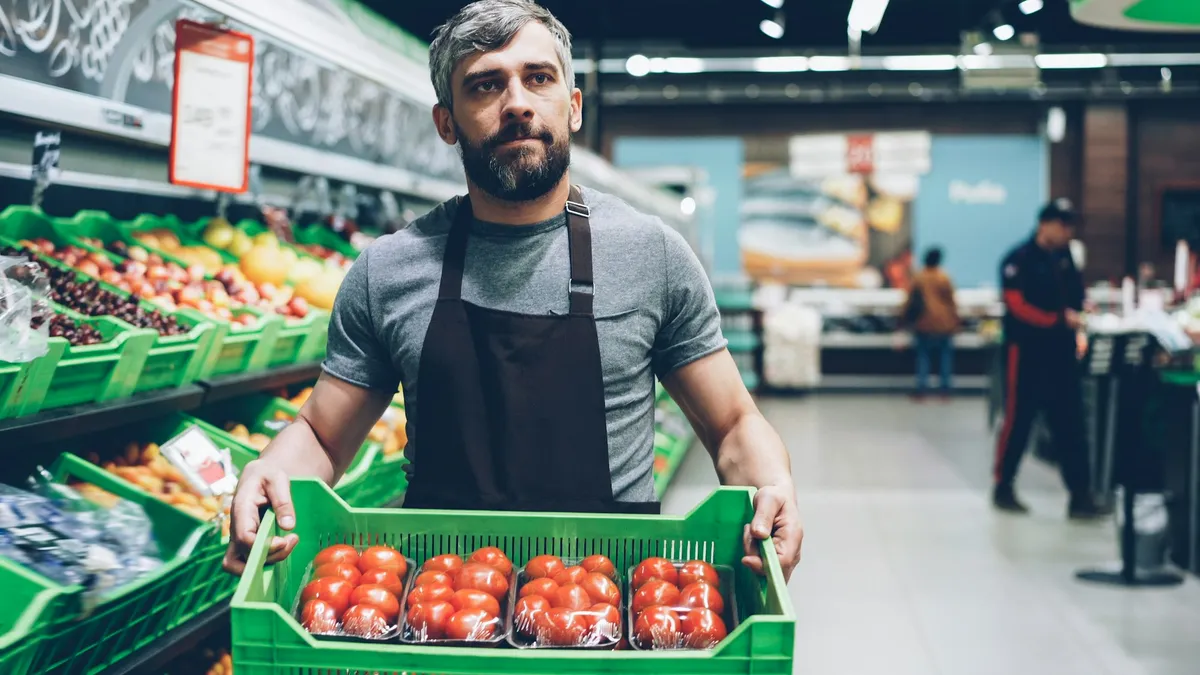
A grocery worker holding a crate of tomatoes in the produce section
Produce priced, scanned, and on the shelf by six
The store day

Our work happens in the hours nobody is ringing.

A grocery store does not have a maintenance window unless someone makes one. We make one, every night, and the rest of the day is about noticing before the front end does.

  1. 2:00 am
    Updates land while the store sleeps

    Back-office and price-book servers, switches, firewall, and scale firmware in the window you approved, with a rollback staged. POS updates stay with the POS vendor, on the same calendar.

  2. 3:30 am
    Backups verified, price book pushed

    Last night’s back-office backup is opened, not just logged. Tomorrow’s prices reach every scale and handheld before anyone walks in.

  3. 5:30 am
    Opening check before the first cashier

    Servers, switches, Wi-Fi, the internet path, scales, and handhelds all answer. If the lanes cannot reach the server, we know before the opener does.

  4. 6:00 am
    Doors open

    The engine behind the lanes watched all day: servers, network, Wi-Fi, handhelds. Nothing changes on the store network while the store is open.

  5. 5:00 pm
    Friday rush

    A lane that cannot authorize at five is usually the network or the server, and that is ours. A person answers. If it is the register itself, the POS vendor is on the call in minutes because we already have their number and their remote tool.

  6. 10:00 pm
    Close, reports, cameras

    End-of-day runs, footage rolls into retention, and the overnight window opens again.

Hours shown are typical. The window and the opening check are set to your store, and nothing lands during them without your approval.

Efficiency

Fewer trips to the back office.

Most of the time a grocer loses to IT is not an outage. It is a handheld that needs a reboot, a scale that will not take the new price, and a new hire who cannot log in on their first shift. That is where we spend the most effort.

Handhelds that scan on the first try

Managed, charged, updated, and re-paired before the morning stocking crew picks them up.

Scales and label printers that stay synced

Price changes reach the deli, bakery, and produce scales overnight, and a printer that drops off is back before anyone notices.

New hires ready before the first shift

The back-office login, the schedule app, and the door code from the roster, and gone again when they leave.

Wi-Fi that reaches the freezer aisle

Designed for coolers, steel racking, and a handheld that never drops between produce and the dock.

One number for every vendor

POS, scales, cameras, refrigeration monitoring, and the internet provider coordinated by us, so the manager makes one call and we sort out whose problem it is.

Footage you can actually pull

Cameras with the retention you set and a way to find the thirty seconds you need in minutes.

A self-checkout terminal in use
Day one

Day one: what we usually find.

An inventory, not a pitch. These are the conditions we walk into at most stores, in the order we find them.

  1. A back-office server nobody monitors

    Every lane, scale, and self-checkout depends on it. When it stalls at 5 p.m. on Friday the register looks broken, and the POS vendor’s phone tree closed at 5.

  2. Patching that never happens

    The store never closes, so the servers, switches, and firewall never get updated. Until they get updated by someone else.

  3. Handhelds and scales that drift

    Three handhelds that need a reboot to scan, a deli scale with last month’s prices, and label printers nobody can re-pair.

  4. Shared logins in the back office

    One password for the back-office PC and the vendor portals, known to everyone who has worked a shift this year.

  5. Cameras nobody can pull footage from

    A recorder in the closet with a full drive, a dead password, and thirty seconds of the incident you needed.

  6. One flat network for the whole store

    The lanes, the deli scale, the office PC, the cameras, and guest Wi-Fi together. That is why a bad download in the office can take down the lanes, and why the internet dropping takes down the card readers.

AI, done right

AI is ordering your produce and watching your self-checkouts. Know what it sees.

Forecasting tools write the order, loss-prevention AI watches the self-checkout cameras, the scheduling app predicts Saturday, and the marketing lead writes the weekly ad in a chatbot. Most of that is good for the store. All of it moves data out of the building, and some of it needs a wall between it and the lanes.

Already happening on your network
  • AI ordering and forecasting tied into the back office by the POS vendor
  • Camera-based loss prevention at self-checkout, streaming to a vendor
  • Scheduling and labor-forecasting apps with the whole roster in them
  • Weekly ads, signage, and customer emails drafted in free chatbots
Nobody meant to create a risk. They wanted the work done faster. The fix is a short list and a few settings, not a ban.
Vendor AI on its own path

Camera and ordering vendors get a one-way feed from a segmented network, never a login to the lanes or the back office.

Know what the vendor keeps

Loyalty data, purchase history, and footage of your customers are yours. We read the vendor terms and keep the list of who holds what.

A person owns the order

Forecasting drafts the produce order. The department manager approves it, and can override it without calling anyone.

A short list for the office

Ad copy and emails in tools the store pays for, with a rule about customer and employee data, taught at hire in a few minutes.

Never leaves the building
  • Loyalty or customer lists in free chatbots
  • Payroll and schedules in personal AI accounts
  • Camera feeds to vendors nobody vetted
  • Vendor logins on the POS network

None of this slows the store down. It is a network design and a one-page rule, and both are part of the plan.

PCI, sized honestly.

Grocery point of sale is locked down by its vendor, and that vendor carries most of the card standard. Point-to-point encryption at the terminal means card numbers never touch your systems. What is left is the store network the lanes ride on, and that is ours.

Your POS provider handles
  • Encryption at the terminal
  • Tokenized card data
  • The terminal firmware itself
  • Most of the questionnaire’s questions
We handle
  • Card terminals on their own network segment
  • Quarterly external scans, run and remediated
  • Back-office MFA and named logins
  • The questionnaire, filled with you from evidence

Keeping the card network small is a design decision we make on day one. After that, PCI is a yearly review, not a project.

After go-live

What changes for the people in the store.

The store manager, the front end, and the owner each feel it differently. This is what each of them gets.

Store manager

Lanes open at six, every day.

  • The servers, network, and Wi-Fi the lanes depend on monitored, not discovered.
  • Updates in the overnight window, with a rollback staged before anything moves.
  • A person who answers at six in the morning, and knows whether it is us or the POS vendor.
Front end and floor

Scan, price, done.

  • Handhelds that scan and price without a reboot.
  • Scales and label printers with today’s prices before the doors open.
  • Fewer moments of the system being down with a line waiting.
Owner

One bill, one number, fewer surprises.

  • The POS vendor, the scale vendor, the camera vendor, and the internet provider coordinated by us.
  • The card questionnaire kept small and answered from evidence.
  • One bill for every store.
The systems we live in

Everything the lanes plug into.

The point of sale belongs to its vendor and stays locked down. Everything it depends on is ours to run, watch, and keep current.

The engine
  • Back-office and price-book servers, backed up and restore-tested
  • Store network and firewall, segmented: lanes, office, cameras, guest
  • Internet with a backup path so the lanes keep authorizing
  • Store Wi-Fi that survives the freezer aisle
The devices on the floor
  • Handheld scanners for ordering and receiving
  • Deli and produce scales, label printers
  • Self-checkout and card-terminal networking
  • Cameras and door access managed after install
The vendors we coordinate
  • POS vendors such as ECRS, NCR, and Toshiba, on their own access path
  • Refrigeration monitoring, alarm, and music vendors on their own network
  • EBT, loyalty, and the internet provider
  • Microsoft 365, payroll, and scheduling for the office

We do not touch the point of sale, and we keep it that way. We run everything it plugs into and coordinate the vendor’s access and update calendar.

Which plan

Most stores land on Secured. Multi-store groups on Hardened.

Same plans as every SeriousIT client. Frontline plans cover cashiers and floor staff who share stations, so you are not paying office rates for a checker.

Securedmost common
The baseline for a store: monitoring on the servers, network, and Wi-Fi the lanes depend on, overnight patch windows, tested backups, segmentation, EDR, and the card scoping and scans your acquirer asks for.
Hardened
Multi-store groups and anyone who wants 24/7 detection and response, log retention, and evidence rolled up across locations.
Managed
Office-only coverage for a store whose network and servers are already run by someone else. We will tell you if it is enough.
Questions we get

Straight answers.

Do you touch the point of sale?

No. Grocery point of sale is locked down by its vendor, and we keep it that way. We run everything it depends on, the servers, the network, the internet path, and the Wi-Fi, and we coordinate the vendor’s remote access and update calendar so their changes and ours never land in the same night.

Will you patch during business hours?

No. Updates run in the overnight window you approve, with a rollback plan for the lanes.

What happens when a lane goes down on Friday?

Most of the time it is the network, the internet, or the back-office server, not the register, and that is ours. We usually see it before the front end does, a person answers, and the server is backed up so a failure is a restore, not a rebuild. If it really is the POS, we already have the vendor’s number and their remote tool.

Do you handle the PCI questionnaire?

Your POS provider carries most of PCI. We keep the store network segmented, run the quarterly scans, and fill the questionnaire with you from evidence we already keep.

What about cameras and loss prevention?

We install, manage, and maintain camera systems with the retention you set, and make footage retrievable when you need it.

Do checkers count as users?

Shared-station staff go on Frontline plans, built for exactly that.

Multiple stores?

Yes. Standardized builds per store, one help desk, and evidence rolled up across locations.

A shopper choosing produce in a grocery store

Start with a store audit.

Send us your current bills and your last month of vendor tickets. We come back with what is fragile, what it would take to fix, and what consolidating would cost.