SeriousIT
Retail

Every store, every register,
one accountable team.

Managed IT for Utah retailers, from a single shop to a regional chain. Every location built from the same drawing, point of sale and online store supported, seasonal staff on and off in a day, and someone who answers on Saturday.

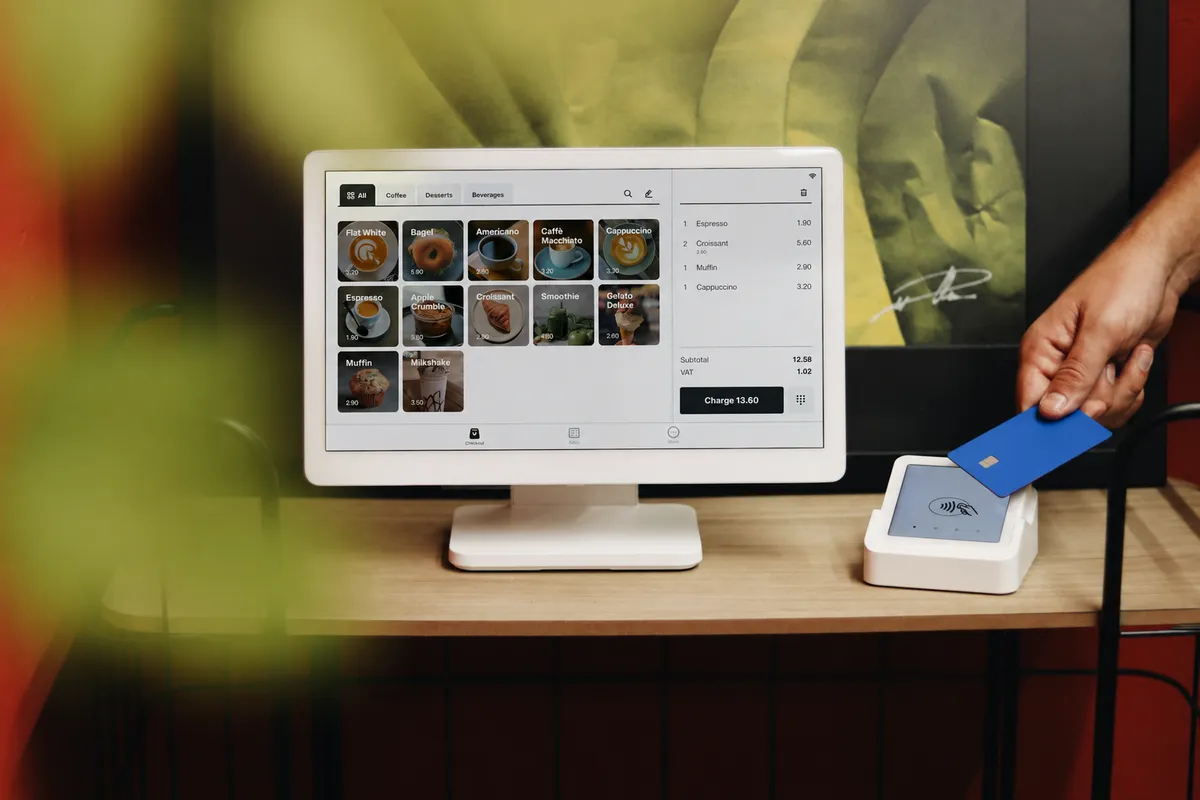
A point-of-sale terminal and card reader on a shop counter
Register 1, up on a Saturday
Store standard build
one page per location, same for all of them
Same build, every store
Network
  • Firewall with a backup cellular path
  • Switches and Wi-Fi sized to the floor
  • Guest Wi-Fi walled off from the registers
  • Segments: POS, office, cameras, guest
Registers
  • Point-of-sale terminals on managed hardware
  • Card readers on the POS segment only
  • Receipt and label printers, barcode scanners
  • Mobile POS on the store Wi-Fi
Cameras and doors
  • Cameras with the retention you set
  • Door access tied to the roster
  • Alarm and music vendors on their own segment
Back office
  • Manager laptop with named login and MFA
  • Store phone line and voicemail
  • Store email and vendor portal access
  • Backups for anything that lives on site
Specified once, repeated for every opening and remodel, and kept as the drawing of record so nobody has to guess what is in the closet.
The standard build

Every store, the same drawing.

A retailer with three locations has three of everything, and usually three different versions. We write the build once and repeat it, so opening day is a checklist and the fix at location three is the fix at location one.

Opening day is a checklist
Cabling, network, registers, cameras, doors, and accounts arrive in a known order. The build sheet is the punch list.
One fix, every store
When something breaks at one location, the same fix applies everywhere, and the help desk already knows the layout.
One bill, every location
Internet, phones, IT, and cameras on one statement per store, or one for the company.
Turnover

Seasonal staff on and off in a day.

Retail hires in October and lets go in January. Every one of those people needs a register login, a door code, and a schedule on their first shift, and none of it after their last.

  1. 1
    Hired in the roster

    The manager adds them to the scheduling app. That is the only form anyone fills out.

  2. 2
    Register login and email

    A named POS login and, for managers, an email account with MFA, created from the roster the same day.

  3. 3
    Door code and schedule

    Door access and the schedule app follow the roster, so the code works on the first shift and not before.

  4. 4
    Last shift

    The end date in the roster is the end date everywhere. No one has to remember to call IT.

  5. 5
    Gone by morning

    Register login, email, door code, and vendor portals off overnight, with a record that says when.

Shared-register associates go on Frontline plans, so seasonal growth does not mean office-user pricing for the sales floor.

Uptime

Saturday at 2 p.m. works.

A retail outage is not a server going down. It is a card reader dropping mid-transaction, Wi-Fi giving out on the far side of the floor, and a line forming while someone reboots. We watch for those, not just the server.

Card readers that stay paired

Readers, printers, and scanners on a managed POS segment, watched so a drop is fixed before the next customer.

Wi-Fi that reaches the whole floor

Designed for the layout, the racking, and mobile point of sale that walks the store all day.

A second path to the internet

When the internet provider fails, registers keep authorizing over the backup path without anyone noticing.

Updates on your schedule

POS and network updates land in a window you approve, never on a Saturday, with a rollback staged.

In-store and online agree

Inventory, pricing, and orders synced between the POS and the web store, with someone who owns the sync.

A person on the weekend

A register down on Saturday gets a person who knows the store, because every store is built the same way.

A customer tapping a card on a payment terminal
Day one

Day one: what we usually find.

An inventory, not a pitch. These are the conditions we walk into at most retailers, in the order we find them.

  1. The register is a laptop on a cart

    Point of sale on consumer gear, on the guest Wi-Fi, with the owner’s login. It works until the Saturday it does not.

  2. Every store built differently

    Location three has a different router, a different POS version, and a different password than location one, and nobody has a list.

  3. Seasonal staff with permanent access

    Holiday hires still have logins in March. Departed managers still have the alarm code.

  4. Online and in-store treated as two businesses

    The web store, the POS, and inventory disagree, and nobody owns the sync.

  5. Cameras nobody can pull footage from

    A recorder with a full drive and a dead password, and thirty seconds of the incident you needed.

  6. Card readers on the guest Wi-Fi

    The one PCI problem that is actually yours, and the easiest to fix on day one.

AI, done right

AI writes the product copy and answers the chat. Decide what it gets to know.

Product descriptions, the support chatbot on the web store, demand forecasting, the social calendar, and a manager pasting a customer complaint into a chatbot for a nicer reply. Good tools, all of them. Each one holds customer data somewhere, and a chatbot that promises a refund is a promise the store keeps.

Already happening on your network
  • AI features switched on inside the POS and e-commerce platform
  • A support chatbot on the web store with no escalation path
  • Marketing and product copy drafted in free chatbots
  • Camera analytics vendors counting traffic and flagging shrink
Nobody meant to create a risk. They wanted the work done faster. The fix is a short list and a few settings, not a ban.
A short list, per role

Store, marketing, and back office each get the tools the company pays for, with a rule about customer and employee data, taught at hire.

A chatbot with a hand-off

The web-store assistant answers what it knows, escalates the rest to a person, and never invents a policy or a discount.

Know what each vendor keeps

Customer lists, order history, and footage are yours. We read the terms, keep the list of who holds what, and turn off training on your data where the setting exists.

A person approves what customers see

AI drafts product copy, emails, and forecasts. A buyer or a manager approves before it ships, and the record says who.

Never leaves the building
  • Customer lists or order history in free chatbots
  • Employee records in personal AI accounts
  • Card data anywhere near an AI tool
  • Camera feeds to vendors nobody vetted

None of this slows the store down. It is a network design, a few vendor settings, and a one-page rule, and all three are part of the plan.

PCI, sized honestly.

Your point-of-sale provider and hosted checkout carry most of the card standard. Point-to-point encryption at the reader means card numbers never touch your systems. What is left is the store network, and that is ours.

Your POS and checkout provider handle
  • Encryption at the reader
  • Tokenized card data
  • The hosted online checkout
  • Most of the questionnaire’s questions
We handle
  • Card readers on their own network segment, in every store
  • Quarterly external scans, run and remediated
  • Manager MFA and named logins
  • The questionnaire, filled with you from evidence

Keeping the card network small is part of the standard build. After that, PCI is a yearly review, not a project.

After go-live

What changes for the people in the store.

The store manager, the associates, and the owner each feel it differently. This is what each of them gets.

Store manager

Saturday works.

  • Registers, Wi-Fi, and card readers monitored, not discovered.
  • Seasonal staff on and off in a day, access included.
  • Cameras you can actually pull footage from.
Associates

Ring it up on anything.

  • Mobile point of sale that stays connected on the floor.
  • Logins that are theirs, not shared.
  • Card readers that do not drop at the worst moment.
Owner

Every new store, the same drawing.

  • Opening day is a checklist, not a project.
  • Inventory that agrees in store and online.
  • One bill for every location.
The systems we live in

Counter to cart to back office.

Point of sale and e-commerce, the back office, and the store network in every location.

Point of sale and online
  • POS platforms such as Shopify POS, Lightspeed, Square, and Clover
  • Hosted online stores and their integrations
  • Card terminals and receipt and label printers
  • Inventory that agrees across channels
Back office
  • Microsoft 365 and identity for managers
  • Scheduling, payroll, and vendor portals, accessed safely
  • Automated onboarding and offboarding for seasonal staff
  • Standard builds per store
The store
  • Segmented networks: POS, office, cameras, guest
  • Reliable store Wi-Fi and mobile POS
  • Cameras and door access managed after install
  • Alarm and music vendors on their own network

We support the POS and e-commerce platforms you run and work with their vendors; our job is that every store looks the same and stays up.

Which plan

Most retailers land on Secured. Chains on Hardened.

Same plans as every SeriousIT client. Frontline plans cover associates who share registers, so you are not paying office rates for the sales floor.

Securedmost common
The baseline for a store: monitoring on registers and Wi-Fi, the standard build, automated staff on and off, tested backups, EDR, segmentation, and the card scoping and scans your acquirer asks for.
Hardened
Multi-store chains and anyone who wants 24/7 detection and response, log retention, and evidence rolled up across locations.
Managed
Back-office-only coverage where the POS vendor handles the front end entirely. We will tell you if it is enough.
Questions we get

Straight answers.

Can you support our POS platform?

Yes. We work alongside the POS and e-commerce vendors, own the network and the systems they depend on, and coordinate their remote access and updates.

How fast can you open a new store?

With a standard build, the network, POS, cameras, and door access for a new location are specified once and repeated, so opening day is a checklist, not a project.

How do you handle seasonal hires?

Accounts, registers, and door codes are created and removed on a schedule from the roster, so nobody keeps access past their last shift.

What happens when a register goes down on Saturday?

We usually see it first. If it needs a person, a person answers, and because every store is built the same way, the fix at location three is the fix at location one.

Do you handle the PCI questionnaire?

Your POS provider and hosted checkout carry most of PCI. We keep the store network segmented, run the quarterly scans, and fill the questionnaire with you from evidence we already keep.

What about cameras and loss prevention?

We install, manage, and maintain camera systems with the retention you set, and make footage retrievable when you need it.

Do sales associates count as users?

Shared-register staff go on Frontline plans, built for exactly that.

A shop counter with a point-of-sale tablet

Start with a store audit.

Send us your current bills and a list of your locations. We come back with what is fragile, what a standard build would look like, and what consolidating would cost.